✦ 21 CONNECTED TABS · GOOGLE SHEETS + EXCEL · ₹299 ONCE · YOUR MONEY, YOUR PLAN ✦✦ 21 CONNECTED TABS · GOOGLE SHEETS + EXCEL · ₹299 ONCE · YOUR MONEY, YOUR PLAN ✦✦ 21 CONNECTED TABS · GOOGLE SHEETS + EXCEL · ₹299 ONCE · YOUR MONEY, YOUR PLAN ✦✦ 21 CONNECTED TABS · GOOGLE SHEETS + EXCEL · ₹299 ONCE · YOUR MONEY, YOUR PLAN ✦
She plans for everyone. Her plans need a place, too.
School fees. A sibling’s studies. Groceries. Parents’ needs. Your own dreams. When you manage the family’s money, there’s more to carry than the numbers.
Give the whole family picture a home outside your head.
Bring income, bills, due dates and education goals together. See where each goal’s savings are held—and make room for your own priorities.
Your first home together brings rent, EMIs, family commitments—and plans you’re excited to make. A shared picture can make the next decision feel clearer.
Turn “someday” into something you can plan for together.
Compare income and bills, set a joint budget, and follow goals like an emergency fund, a trip or your first home deposit.
XLSXGoogle SheetsPhone, tablet & computerCustom currency symbol
▦
Microsoft Excel
Use the included Excel file. Enter data in highlighted cells.
▣
Google Sheets
Use your own copy. Google Sheets is the recommended experience.
▯
Your phone, too
The dedicated Phone tab gives you a compact monthly view.
A SIMPLE ROUTINE
From “where did it go?” to “here’s the picture.”
A little setup. A regular check-in. A clearer view.
01↗
Get your copy
Receive the Google Sheets link and Excel file after purchase.
One-time payment02▦
Make it yours
Read Start Here. Add your categories, recurring items and goals.
About 10 minutes to set up03✓
Log. Review. Adjust.
Enter real amounts, choose a month and check your next step.
About 1–2 minutes daily*
*Time depends on your transactions and setup needs.
▦ Excel + Google Sheets◎ Your own file✓ No bank login∞ Reuse every year
✦ COMPARE THE WORKFLOW. SEE THE DIFFERENCE.
Other Planners VSOur Budget Planner
A pretty chart catches your eye. A connected workflow helps you understand your money.
Compare these workflows when choosing a planner. Other products vary; check their actual features.
What matters in everyday use
Other PlannersWhat to check before buying
OUR CONNECTED SYSTEMOur Budget PlannerAll-in-One · ₹299 once
Salary & bills that change each month
A fixed amount or tick box needs extra changes when the real amount varies.
✓ Enter the actual amount each month.Only entered amounts count as received or paid.
Where your goal money is held
A goal total alone doesn’t show which account or investment holds the money.
✓ Goals with a source breakdown.Track bank, cash, shares, SIPs and your own sources.
Pending & overdue payments
Check whether due dates and unpaid items are connected to the overview.
✓ Due status on the dashboard.Pending items stay visible. Overdue entries turn red.
Insights beyond an expense total
Check for budget comparisons, spending warnings and useful monthly insights.
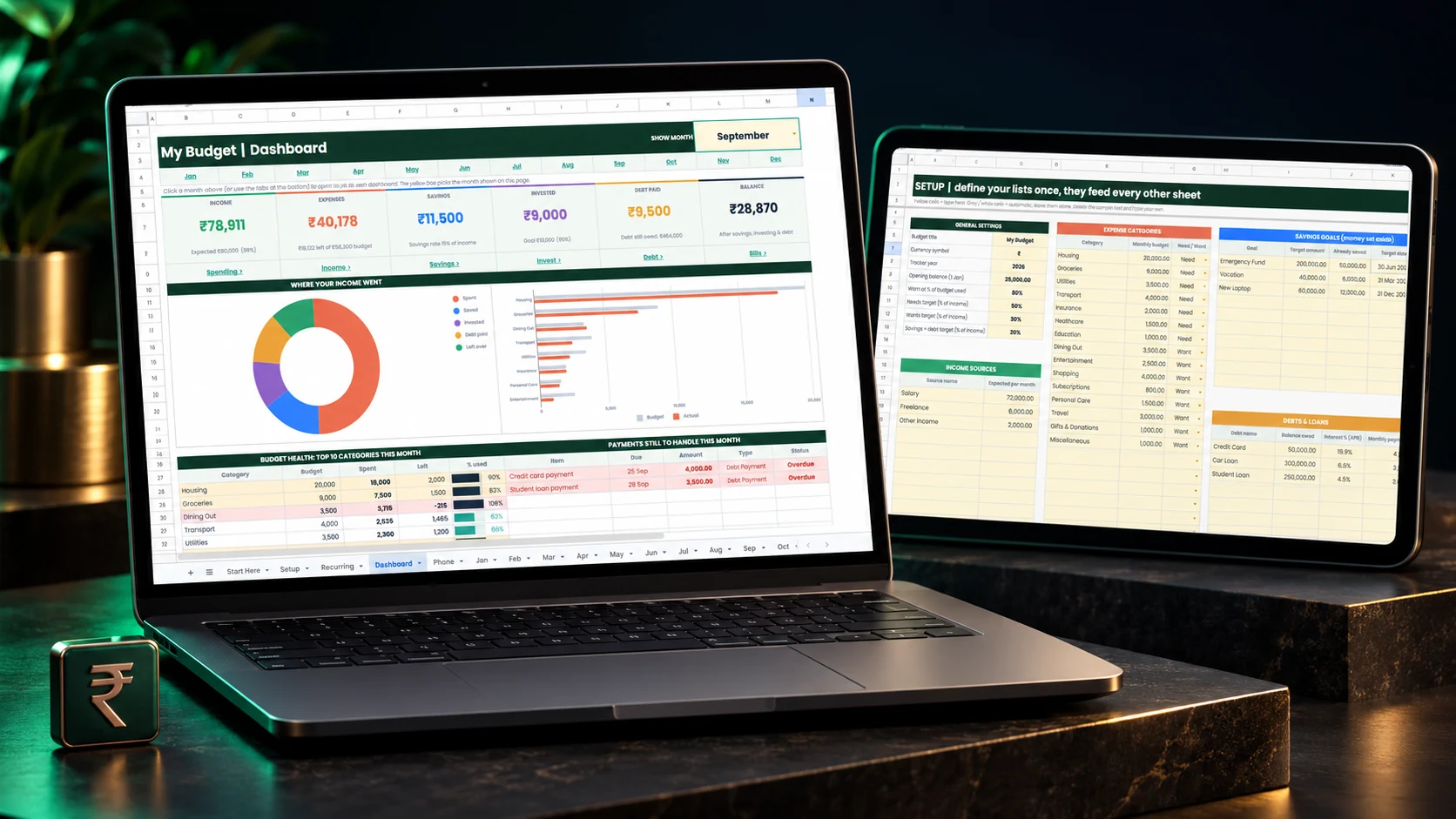
✓ One month-selectable dashboard.Budget health, biggest spends, savings and six deep dives.
Plans beyond this month
Check whether goals, debt and investment contributions share the same system.
✓ A connected picture.Goals, debts, investments, Phone and Yearly views in one file.
Seeing what’s inside before you buy
A product mockup alone cannot show you the actual spreadsheet details.
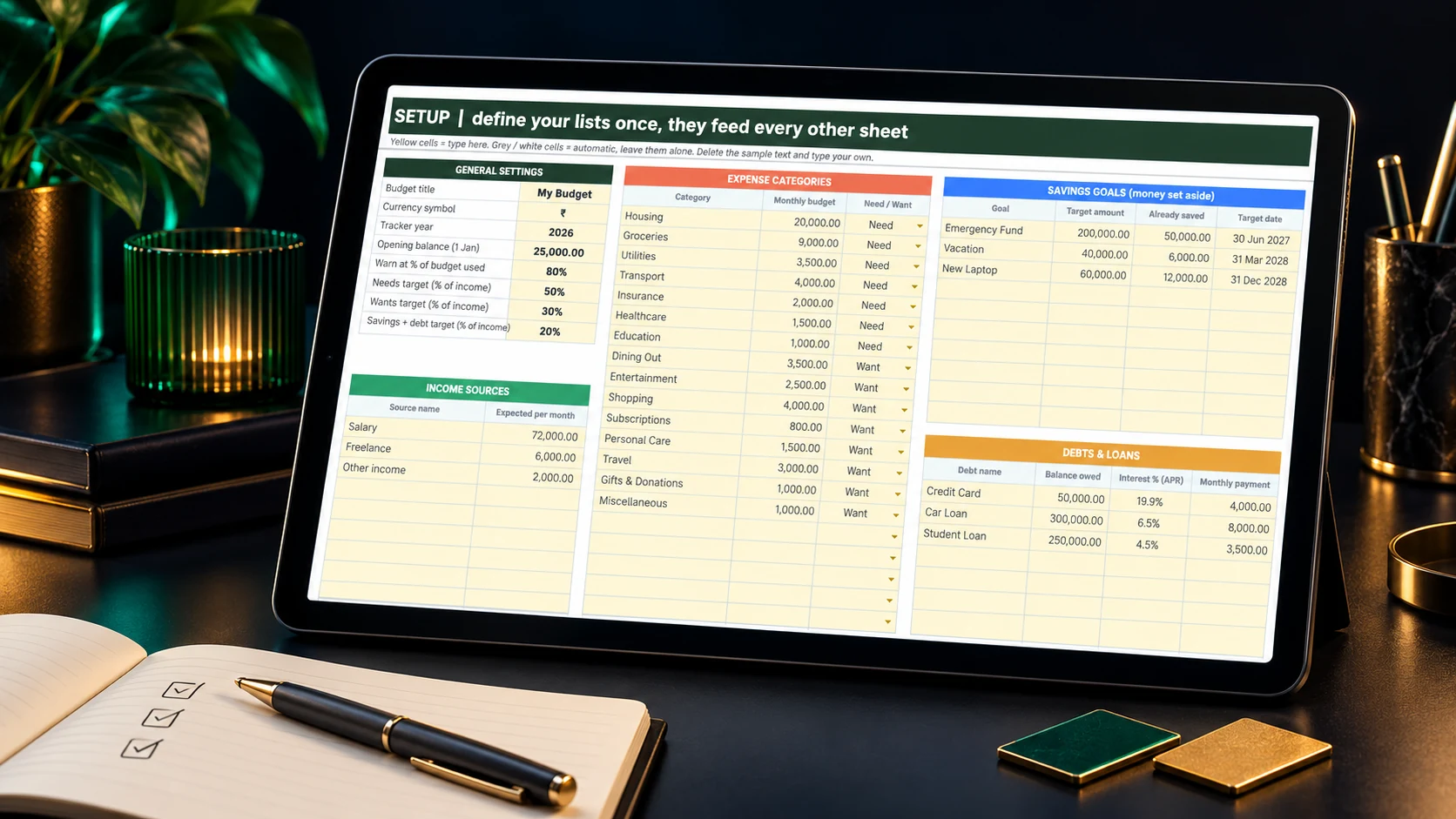
✓ Original screenshots you can enlarge.Inspect the real sheets, charts and sample entries.
REAL PRODUCT. OPENLY SHOWN.
See the actual sheets. Know what you’re buying.
Look beyond a polished mockup. Our original screenshots show the real spreadsheet layout, charts and sample entries—so you can inspect what’s inside before you buy.
OUR PROMISE: WE SHOW THE REAL PLANNER.
The real amounts. The goal money sources. The connected monthly views. We’re confident you’ll be pleasantly surprised by how the workflow comes together.
Digital download after purchase · No monthly planner fee
✓ Your own file✓ No bank login✓ No macros✓ No monthly planner fee
Demonstration only. The buttons open a sample checkout without creating an order.
Frequently asked questions.
A few clear answers before you begin.
Do I need spreadsheet skills?+
No. Follow Start Here and type in the highlighted input cells. The connected formulas handle the calculations.
Can my salary and bills change each month?+
Yes. Add recurring items once, then enter the actual amount for each month. Blank means not entered; zero counts as recorded.
Can I track where savings are held?+
Yes. Set your money sources and use Held in on savings entries. Goals & Debts shows the source breakdown for each goal.
Can I use it on my phone?+
Yes, through the Google Sheets or Excel mobile app. Use Phone for a compact overview and monthly tabs to enter transactions.
Does it connect to my bank?+
No bank login is required. You enter transactions manually and control your own file and sharing.
Can I change currency and categories?+
Yes. Setup includes categories, budgets, goals and your preferred currency symbol. The symbol changes the display; it doesn’t convert exchange rates.
Is this a subscription?+
No. The planner costs ₹299 once. There is no monthly planner fee, and the guide includes steps for using it in a new year.
What exactly will I get?+
The Budget Planner All-in-One Google Sheets link and Excel file, with 21 visible tabs and the Start Here guide inside. It’s a digital product; no physical item is shipped.
Grab it before the offer endsSample next price: ₹499